Documentation Index
Fetch the complete documentation index at: https://docs.anglera.com/llms.txt
Use this file to discover all available pages before exploring further.
The Anglera API enables programmatic submission and retrieval of enriched product data. These endpoints support ingestion, enrichment, competitive pricing analysis, and validation of structured product content organized by sheets.
Base URL
All API requests should be made to:
https://backend.anglera.com
Authentication
Every request must include your API key in the X-Anglera-API-Key header:
curl -H "X-Anglera-API-Key: your_api_key" https://backend.anglera.com/feed/sheets
401 Unauthorized.
Generating an API Key
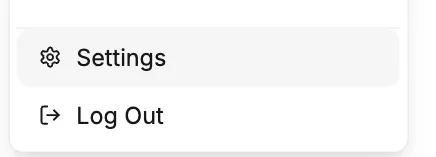
Open Settings
Click your user avatar in the bottom left of the screen Navigate to API Keys
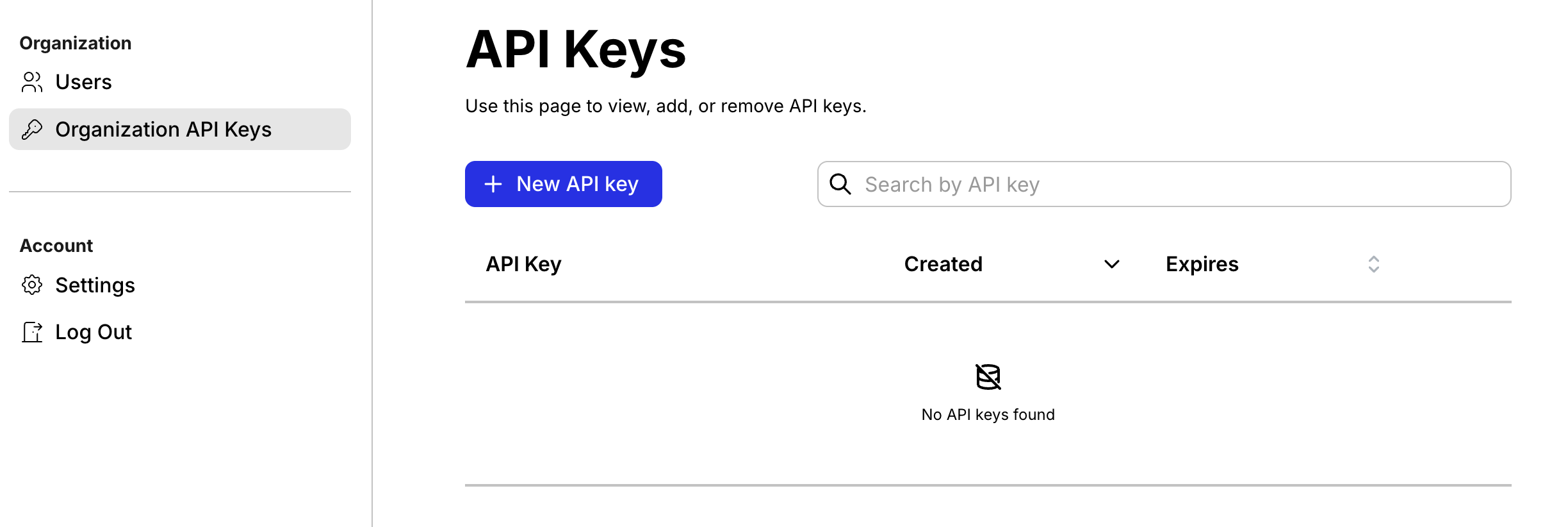
Go to Settings → Organization API keys Create Key
Click Create new API key and copy your key
Keep your API key secure. Do not expose it in client-side code or public repositories.
Status Reference
Product Status Values
| Status | Description |
|---|
READY | Product has been fully enriched |
QUEUED | Product is awaiting processing |
PROCESSING | Product is actively being processed |
NO_RESULTS | No enrichment results found |
ERROR | Processing failed |
Price Report Status Values
| Status | Description |
|---|
READY | Price report has been fully generated |
QUEUED | Price report is awaiting processing |
PROCESSING | Price report is actively being generated |
ERROR | Price report generation failed |
Common Error Codes
| Status Code | Meaning |
|---|
400 | Missing required fields or invalid request data |
401 | Missing or invalid API key |
404 | Resource not found |
500 | Internal server error |
General Notes
- Sheets group products under a unique
sheet_id
- View sheets in the UI at
https://app.anglera.com/sheets/{sheet_id}
- Products added via
POST /products/enrich appear in GET /feed/{sheet_id} once enrichment completes
- Enrichment times vary from seconds to minutes depending on complexity and volume
- All timestamps are in ISO 8601 format (UTC)